Module 5: Building ADK Agents with agents-cli
Duration: ~75 minutes
Goal: Use agents-cli to scaffold, build, evaluate, and deploy a production-grade ADK agent — entirely from within your Antigravity CLI session.
Exercise: Exercise 12: ADK Agent — Scaffold, Eval, Deploy
📖 Sources: agents-cli GitHub · agents-cli Docs · ADK · PyPI
What is agents-cli?
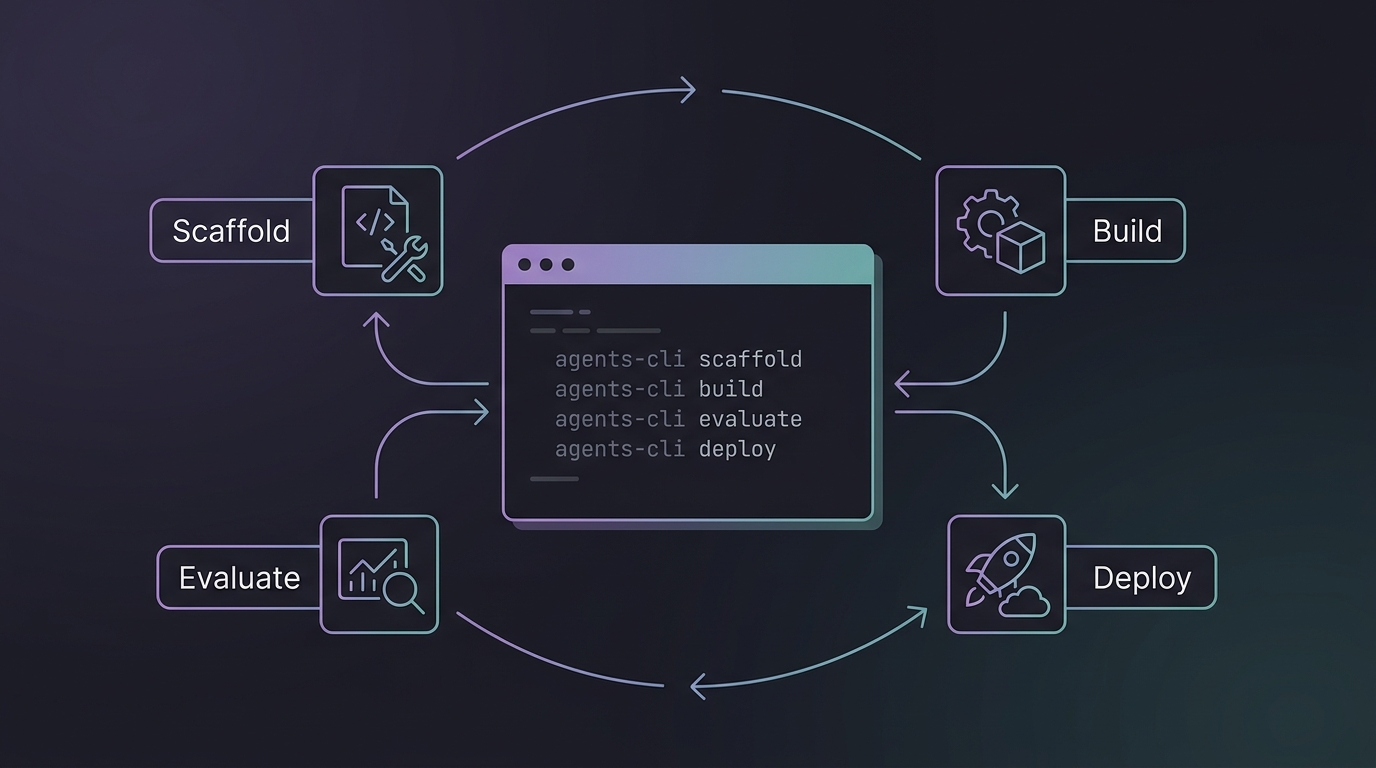
agents-cli is not a coding agent. It's a toolkit for coding agents — it gives your Antigravity CLI session the skills and commands to build, evaluate, and deploy ADK (Agent Development Kit) agents on Google Cloud.
| Antigravity CLI | agents-cli | |
|---|---|---|
| What it is | Interactive coding agent | Toolkit for coding agents |
| What it does | Writes code, answers questions | Scaffolds, evaluates, deploys ADK agents |
| How you use it | Ask it to do things | Ask agy to use agents-cli to do things |
| Works with | — | Antigravity CLI, Gemini CLI, Claude Code, Codex |
Think of it this way: agy is your hands, agents-cli is the power tools.
5.1 — Setup 10 min
Prerequisites
- Python 3.11+
- uv (Python package manager)
- Node.js (for skill installation)
- A Google Cloud project or AI Studio API key
Install agents-cli
This does three things:
- Installs the
agents-clibinary - Installs 7 skills into your coding agents (Antigravity CLI, Gemini CLI, Claude Code)
- Configures authentication
Verify
Skills are the secret sauce
After setup, agy automatically loads agents-cli skills — meaning you can say "scaffold an ADK agent" and agy knows exactly what commands to run, what patterns to follow, and what mistakes to avoid.
5.2 — The 7-Phase Lifecycle 10 min
agents-cli enforces a structured development lifecycle. Each phase has a dedicated skill that your coding agent loads when it reaches that stage:
graph LR
    P0[Phase 0<br/>Understand] --> P1[Phase 1<br/>Study Samples]
    P1 --> P2[Phase 2<br/>Scaffold]
    P2 --> P3[Phase 3<br/>Build]
    P3 --> P4[Phase 4<br/>Evaluate]
    P4 --> P5[Phase 5<br/>Deploy]
    P5 --> P6[Phase 6<br/>Publish]
    P6 --> P7[Phase 7<br/>Observe]
P4 -.->|fix & iterate| P3| Phase | Skill | What happens |
|---|---|---|
| 0 — Understand | — | Clarify goals, write .agents-cli-spec.md |
| 1 — Study Samples | — | Clone and study matching adk-samples |
| 2 — Scaffold | google-agents-cli-scaffold | agents-cli scaffold create <name> |
| 3 — Build | google-agents-cli-adk-code | Write agent code — tools, callbacks, state |
| 4 — Evaluate | google-agents-cli-eval | agents-cli eval generate → eval grade → fix → repeat |
| 5 — Deploy | google-agents-cli-deploy | agents-cli deploy to Agent Runtime / Cloud Run / GKE |
| 6 — Publish | google-agents-cli-publish | Register with Gemini Enterprise (optional) |
| 7 — Observe | google-agents-cli-observability | Cloud Trace, logging, monitoring |
Key insight: Phase 4 (Evaluate) is the most critical. Expect 5–10+ iterations of the eval-fix loop. This is normal and where agent quality comes from.
5.3 — Scaffolding a Project 10 min
The Prototype-First Pattern
Always start with --prototype to skip CI/CD and Terraform. Get the agent working, then add deployment later:
# Step 1: Create a prototype
agents-cli scaffold create my-agent --agent adk --prototype

# Step 2: Iterate on agent code...

# Step 3: Add deployment when ready
agents-cli scaffold enhance . --deployment-target agent_runtime
Template Options
| Template | Description |
|---|---|
adk | Standard ADK agent (default) |
adk_a2a | Agent-to-agent coordination (A2A protocol) |
agentic_rag | RAG with data ingestion pipeline |
Deployment Targets
| Target | Description |
|---|---|
agent_runtime | Managed by Google (Gemini Enterprise Agent Runtime) |
cloud_run | Container-based, more control |
gke | Full Kubernetes control on GKE Autopilot |
What the Scaffold Creates
my-agent/
├── app/
│   ├── __init__.py          ← App entry point (name must match directory)
│   ├── agent.py             ← Agent definition (instruction, tools, model)
│   └── tools.py             ← Custom tool functions
├── tests/
│   └── eval/
│       ├── datasets/
│       │   └── basic-dataset.json  ← Starter eval cases
│       └── eval_config.yaml        ← Metrics configuration
├── .env                     ← Environment variables (project ID, API keys)
├── agents-cli-manifest.yaml ← Project metadata (CLI reads this)
├── pyproject.toml           ← Python dependencies
├── GEMINI.md                ← Coding agent guidance file
└── Makefile                 ← Common task shortcuts
5.4 — Building Agent Code 15 min
Agent Definition Pattern
The scaffolded app/agent.py is your starting point:
from google.adk import Agent

root_agent = Agent(
    name="my_agent",
    model="gemini-3.5-flash",
    instruction="""You are a helpful assistant that...""",
    tools=[my_tool_function],
)
Tool Definition
Tools are plain Python functions with typed parameters and docstrings:
def get_weather(city: str) -> dict:
    """Get current weather for a city.

    Args:
        city: The city name to look up weather for.

    Returns:
        A dict with temperature and conditions.
    """
    # Your implementation here
    return {"temp_f": 72, "conditions": "sunny"}
Quick Testing
# One-off smoke test
agents-cli run "What's the weather in Tokyo?"

# Interactive playground (web UI)
agents-cli playground
Never write pytest tests that assert on LLM output
LLM outputs are non-deterministic. Use agents-cli eval for behavior validation, not pytest. Use pytest only for code correctness (imports work, functions return correct types).
5.5 — The Evaluation Loop 20 min
This is the most important section. Evaluation is what separates a demo from a production agent.
The Quality Flywheel
┌─ 1. Prepare Data ─────── Write eval cases or synthesize them
│
├─ 2. Run Inference ────── agents-cli eval generate
│
├─ 3. Grade Traces ─────── agents-cli eval grade
│
├─ 4. Analyze Failures ──── Read results, identify root causes
│
└─ 5. Fix & Iterate ────── Fix agent code, go back to step 2
Eval Dataset Format
Eval cases are JSON files with prompts and optional expected behavior:
{
  "eval_cases": [
    {
      "eval_case_id": "greeting",
      "prompt": {
        "role": "user",
        "parts": [{"text": "Hello, what can you help me with?"}]
      }
    },
    {
      "eval_case_id": "weather_query",
      "prompt": {
        "role": "user",
        "parts": [{"text": "What's the weather in San Francisco?"}]
      }
    }
  ]
}
Built-in Metrics
| Metric | What it measures |
|---|---|
multi_turn_task_success | Did the agent complete the user's goal? |
multi_turn_trajectory_quality | Was the reasoning path logical and efficient? |
multi_turn_tool_use_quality | Quality of tool/function calling |
final_response_quality | Final response quality (no ground-truth needed) |
hallucination | Factual grounding — catches fabricated claims |
safety | Safety policy compliance |
Running Evals
# One command: generate traces + grade them
agents-cli eval run

# Or two-step for more control
agents-cli eval generate
agents-cli eval grade

# Compare before/after a fix
agents-cli eval compare baseline.json candidate.json
When Scores Fail
| Failure | What to fix |
|---|---|
task_success low | Orchestration, missing tool calls, premature termination |
trajectory_quality low | Planning prompts, instruction order, redundant tool calls |
tool_use_quality low | Tool descriptions, parameter docstrings, agent instructions |
hallucination low | Tighten instructions to stay grounded in tool output |
| Agent calls wrong tools | Refine tool descriptions and agent instructions |
Custom Metrics
When built-in metrics don't cover your domain, define custom ones in eval_config.yaml:
metrics_to_run:
  - multi_turn_task_success
  - response_politeness    # custom metric below

custom_metrics:
  - name: response_politeness
    prompt_template: |
      Rate the agent's response 1-5 for professional politeness.
      Prompt: {prompt}
      Response: {response}
      Return JSON: {"score": <1|2|3|4|5>, "explanation": "<reason>"}
5.6 — Deployment 10 min
Once evals pass, add deployment and ship:
# Add deployment support (if prototype)
agents-cli scaffold enhance . --deployment-target agent_runtime

# Deploy
agents-cli deploy
Adding CI/CD
# GitHub Actions
agents-cli scaffold enhance . --cicd-runner github_actions

# Google Cloud Build
agents-cli scaffold enhance . --cicd-runner google_cloud_build
Deployment Targets Decision Matrix
| Need | Choose |
|---|---|
| Fastest path, managed infrastructure | agent_runtime |
| Custom container, full control | cloud_run |
| Kubernetes-native, team already on GKE | gke |
5.7 — Using agents-cli from Antigravity CLI 5 min
The real power is combining agy + agents-cli. In an Antigravity CLI session:
> Use agents-cli to scaffold an ADK agent called "expense-tracker"
  that processes receipts and categorizes expenses.
  Start with a prototype.
agy will:
- Load the
google-agents-cli-workflowskill - Ask you clarifying questions (Phase 0)
- Check for matching adk-samples (Phase 1)
- Run
agents-cli scaffold create expense-tracker --agent adk --prototype - Implement the agent code using ADK patterns (Phase 3)
- Set up eval cases and run them (Phase 4)
- Iterate until quality thresholds pass
You guide the high-level intent; agents-cli skills handle the implementation details.
Skills Reference
The 7 skills installed by agents-cli setup:
| Skill | Slash command | What agy learns |
|---|---|---|
google-agents-cli-workflow | /google-agents-cli-workflow | Full lifecycle, code preservation rules, model selection |
google-agents-cli-adk-code | /google-agents-cli-adk-code | ADK Python API — agents, tools, orchestration, callbacks, state |
google-agents-cli-scaffold | /google-agents-cli-scaffold | Project scaffolding — create, enhance, upgrade |
google-agents-cli-eval | /google-agents-cli-eval | Eval methodology — metrics, datasets, LLM-as-judge |
google-agents-cli-deploy | /google-agents-cli-deploy | Deployment — Agent Runtime, Cloud Run, GKE, CI/CD |
google-agents-cli-publish | /google-agents-cli-publish | Gemini Enterprise registration |
google-agents-cli-observability | /google-agents-cli-observability | Cloud Trace, logging, third-party integrations |
Exercises
Exercise 12: ADK Agent Lifecycle
File: ex12_agents_cli_lifecycle.md Duration: 45 min Objective: Scaffold, build, evaluate, and iterate on an ADK agent using the agents-cli workflow — from scaffold create through passing evals.
Next: Module 4 — Multi-Agent & Advanced for orchestrating multiple agents, subagent patterns, and the
/btwscheduling system.